
TLauncher Alternatives are other Minecraft launchers and clients that users can consider for managing Minecraft versions, game instances, mods, accounts, and settings. In addition, each option has its own tools and setup process. Some focus on mod management, while others focus on performance, profiles, or official Minecraft access. In this guide, we explain the main alternatives, what they offer, how they differ, and what to check before choosing one.
What Are TLauncher Alternatives?
TLauncher Alternatives are other programs that can launch or manage Minecraft. In addition, they can provide different tools for game versions, mods, profiles, settings, and accounts. Therefore, the right option depends on how you use Minecraft. For example, a player who wants simple official access may need different tools from someone who manages many modded instances.
If you want to understand the main launcher and its core features first, visit our TLauncher guide.
Why Use TLauncher Alternatives?
Users may look for another launcher for many reasons. They may want separate game instances, stronger mod tools, official account support, or a different interface. Some users may also want a launcher that fits their operating system better. Compare the features you need before moving to another launcher.
Different Minecraft Features
Launchers can offer different ways to manage Minecraft. Some focus on instances. Others provide mod tools or performance features. Check the main functions before choosing a replacement.
Mod Management
Mod support can vary between launchers. Some provide tools for installing and managing mods. Others focus on manual setup. If you use many mods, check version and mod loader support first.
Game Instances
An instance is a separate Minecraft setup with its own files and settings. Instance-based launchers can make it easier to keep different versions apart. This can help when one setup uses mods and another uses a clean game.
Official Minecraft Launcher
The official Minecraft Launcher is part of the official Minecraft ecosystem. In addition, it provides access to supported Minecraft games and account features. As a result, it is designed for users who want to use official Minecraft services. However, its setup differs from third-party launchers.
Before comparing launchers, you can review the setup process in our TLauncher Download guide.
Official Account Support
The official launcher works with the account system used by Minecraft. In addition, account access and game ownership are handled through the official service. For security, users should use official account tools for passwords and security settings.
Minecraft Version Management
The official launcher can provide access to supported Minecraft versions. For example, users can select available game releases and manage their game profiles. However, the exact options can depend on the Minecraft edition and account.
Official Launcher Setup
Installation is based on the operating system. First, users should download the launcher from the official Minecraft source. After installation, sign in with the required account and select the game version you want to use.
Prism Launcher
Prism Launcher focuses on managing separate Minecraft instances. In addition, each instance can have its own Minecraft version, mods, settings, and files. As a result, this can be useful for users who keep several different game setups.
Prism Launcher Instances
Each instance can act as a separate Minecraft profile. Therefore, this helps keep files from different setups apart. For example, one instance can use mods, while another stays close to a clean setup.
Prism Launcher Mods
Mods can be managed within individual instances. For each setup, users can select the Minecraft version and mod loader needed. As a result, this can make large mod collections easier to organize.
Prism Launcher Settings
Users can manage Java, memory, versions, and other settings for each instance. In this way, they have more control over separate Minecraft environments.
MultiMC
MultiMC is another Minecraft launcher focused on separate instances. It allows users to keep game setups apart and manage different versions. Its workflow is aimed at users who want more control over their Minecraft files and profiles.
MultiMC Instances
Each instance can contain its own Minecraft version and configuration. This can reduce conflicts between different setups. Users can create separate profiles for different mod collections.
MultiMC Mod Support
Mod support depends on the Minecraft version and selected setup. Users can add compatible mods to individual instances. Check the requirements of each mod before installation.
Lunar Client
Lunar Client is a Minecraft client with built-in features for gameplay, performance, and customization. It is different from a general-purpose launcher because it focuses on a client experience. Users should check its current supported versions and features before switching.
Lunar Client Features
The client can provide performance settings and gameplay tools. Its features are built around Minecraft gameplay. The exact feature set can change over time.
Lunar Client and Mods
Lunar Client does not use the same setup as every standard Minecraft launcher. Some mods or features may not work in the same way. Check compatibility before moving an existing mod setup.
Lunar Client and TLauncher
Lunar Client and TLauncher have different purposes and workflows. One focuses on a client experience, while the other can be used to manage Minecraft setups and versions. Compare the features you need instead of treating them as identical tools.
GDLauncher
GDLauncher provides tools for managing Minecraft instances and modded setups. It can be useful for users who want a graphical way to manage modpacks and game profiles. Features can vary by version, so check current support before installing it.
GDLauncher Modpacks
Modpacks can be managed through supported tools. A modpack may include many files, settings, and dependencies. Check the required Minecraft version before starting the pack.
GDLauncher Instances
Separate game instances can keep different Minecraft setups apart. This can help users test mods without changing another profile.
Other Minecraft Launchers
There are many other Minecraft launchers and clients. Each one can focus on different features. Some support modpacks. Others focus on performance or instance management. Users should compare the exact features they need.
ATLauncher
ATLauncher focuses on Minecraft modpacks and instance management. It can help users install and manage supported modded game setups. Check its current Minecraft and modpack support before use.
FTB App
The FTB App is designed around Feed The Beast modpacks and related Minecraft content. It can be useful for players who use FTB packs. Its setup is different from a general Minecraft launcher.
Modrinth App
The Modrinth App provides tools for Minecraft content from the Modrinth ecosystem. It can help users manage mods, modpacks, and game instances. Check the current platform and version support before installing it.
TLauncher Alternatives for Mods
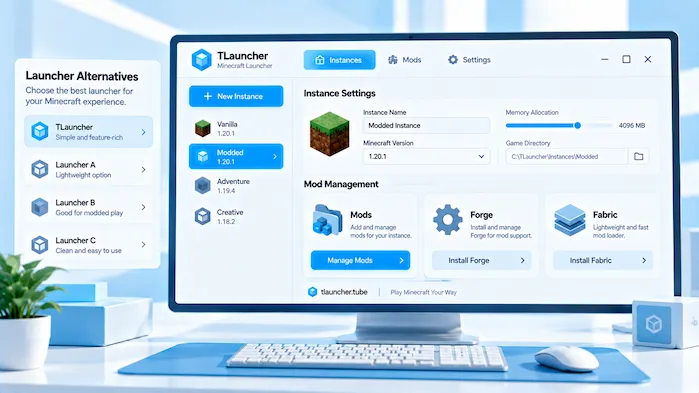
Mod support is one of the main reasons users compare launchers. Different launchers can use different methods to install and manage mods. Check support for Forge, Fabric, modpacks, and the Minecraft versions you use.
Forge Support
Forge is a popular Minecraft mod loader. If you use Forge mods, check whether the launcher supports the required Forge versions. The mod and Minecraft version must also match.
Fabric Support
Fabric is another common mod loader. Check whether the launcher supports the Fabric version needed by your mods. Some Fabric mods also require Fabric API.
Modpack Support
Large modpacks need more than simple mod files. They can include dependencies, settings, and custom configurations. A launcher with modpack tools can make these setups easier to manage.
TLauncher Alternatives for Performance
Performance can depend on the launcher, Minecraft version, graphics settings, mods, and hardware. Some clients include performance features. Other launchers focus more on clean instance management. Compare the tools rather than expecting one launcher to improve every computer.
RAM Settings
Minecraft memory settings can affect performance. A launcher may provide controls for Java memory. Avoid giving Minecraft more RAM than your computer can spare.
Graphics Settings
Graphics settings affect FPS and resource use. Lower render distance and visual effects can help on weaker systems. Mods and shaders can also increase resource use.
Performance Clients
Some Minecraft clients include performance tools and settings. Check which Minecraft versions they support. Also check whether they work with the mods and servers you use.
TLauncher Alternatives for Servers
Server compatibility depends on the Minecraft version, account setup, mods, and server rules. A launcher can start the game, but the server controls its own connection requirements.
TLauncher Alternatives Server Version Support
Check the Minecraft versions supported by the server. Select one of those versions in your chosen launcher. A version mismatch can stop the connection.
TLauncher Alternatives Server Mod Requirements
Some servers require specific mods or modpacks. Check the server instructions before changing your launcher setup. Install only the files that the server requires.
TLauncher Alternatives Multiplayer Account Support
Some servers use official account authentication. Others may have different rules. Check the server requirements before choosing a launcher for multiplayer.
TLauncher Alternatives for Windows
Windows users have many Minecraft launcher options. Check whether the launcher supports your Windows version and Minecraft edition. Also review Java, mod, account, and server support before installation.
Windows Installation
Download the launcher from its trusted source. Check the installer before opening it. Follow the setup steps and review any security warning shown by Windows.
Windows Performance
Performance depends on the PC and Minecraft setup. A launcher alone does not fix hardware limits. Check RAM, CPU, GPU, storage, and game settings when comparing options.
TLauncher Alternatives for Mac
Mac users should check operating system support before installing a launcher. Some launchers may have different features or requirements on macOS. Java support can also depend on the Minecraft version.
macOS Compatibility
Check the launcher requirements before downloading it. Make sure the version supports your macOS release. Avoid using an installer made for another operating system.
Mac Java Support
Minecraft Java Edition needs a suitable Java runtime. The required version can depend on the game release. Check Java support when setting up a new launcher.
TLauncher Alternatives for Android
Android Minecraft setups differ from desktop launchers. Not every desktop launcher has an Android version. Users should check the exact mobile support before installing an app.
Android Compatibility
Check the Android version, RAM, storage, and processor. Mobile Minecraft can have different limits from a PC setup. Mods and large modpacks can need extra resources.
Mobile Launcher Support
A mobile launcher may use a different setup from a Windows or macOS launcher. Check the Minecraft edition, Java support, and control options before choosing one.
Comparing Minecraft Launchers
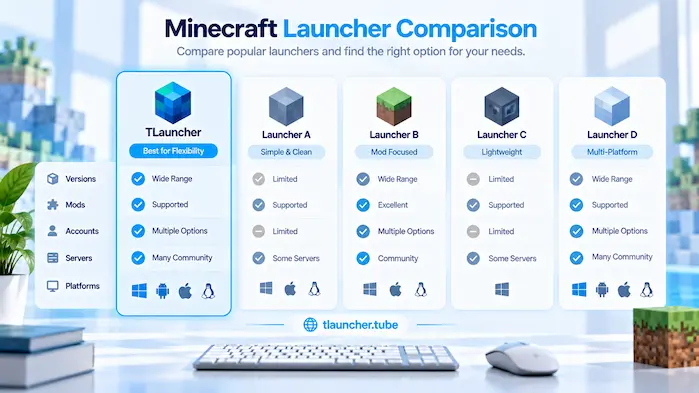
A useful comparison starts with the features you need. Check game version support, instance management, mods, modpacks, Java, accounts, servers, operating systems, and performance tools. Security should also be part of the comparison.
Version Support
Check whether the launcher supports the Minecraft releases you use. This matters when playing old versions or testing new releases.
Mod Support
Check Forge, Fabric, modpacks, and dependency support. If you use many mods, look for tools that make separate setups easy to manage.
Account Support
Check how the launcher handles Minecraft accounts. Official account features may differ from third-party account systems.
Server Support
Check the Minecraft version and account requirements of the servers you use. Mods can also affect multiplayer support.
Platform Support
Make sure the launcher works on your operating system. Windows, macOS, and Android can have different requirements.
How to Choose TLauncher Alternatives
Start by listing the Minecraft features you use most. Then check launcher support for those features. If you use mods, focus on mod loaders and instances. If you play servers, check version and account support. Android support should be checked first when using a phone.
TLauncher Alternatives For Modded Minecraft
Choose a launcher that supports your mod loader and Minecraft versions. Instance management can also help keep different mod setups separate.
TLauncher Alternatives For Multiplayer
Before choosing a launcher, check server version support and account requirements. In addition, make sure the launcher can run the game setup required by your server.
TLauncher Alternatives For Simple Minecraft Use
A simple setup may not need many advanced tools. Instead, focus on reliable game access, version support, account features, and easy settings.
TLauncher Alternatives Safety
First, download launchers from trusted sources. Furthermore, avoid modified installers from unknown websites and scan files before opening them. Also, review app permissions and account requests. Most importantly, never give your Minecraft password to an unknown launcher or website.
Safe Launcher Downloads
Before downloading, check the official website of the launcher you choose. In addition, avoid fake download buttons and unknown mirrors. Finally, verify the file before installation.
Account Security
Keep account passwords private. For security, use official account services for password changes and security settings. Similarly, do not enter sensitive details into unknown launcher pages.
Frequently Asked Questions
What Are TLauncher Alternatives?
They are other Minecraft launchers or clients that can manage game versions, instances, mods, accounts, or settings.
What Is the Official Minecraft Launcher?
It is the official launcher for Minecraft and provides access to supported Minecraft games and account services.
Is Prism Launcher a TLauncher Alternatives?
Prism Launcher is another Minecraft launcher that focuses on separate game instances, versions, mods, and settings.
Is MultiMC a TLauncher Alternatives?
MultiMC is a Minecraft launcher focused on managing separate game instances and configurations.
Is Lunar Client a TLauncher Alternatives?
Lunar Client is a Minecraft client with built-in gameplay and performance features. Its setup differs from a general launcher.
Is GDLauncher a TLauncher Alternatives?
GDLauncher provides tools for Minecraft instances and modded setups. Its features can vary by version.
What Is the Best TLauncher Alternatives?
The right choice depends on your Minecraft version, mods, account needs, server use, operating system, and preferred features.
Which Alternative Supports Mods?
Several Minecraft launchers support mods, but the exact Forge, Fabric, and modpack support can differ. Check the launcher before choosing it.
Which Alternative Supports Modpacks?
Several launchers can manage modpacks. Check support for the specific pack, Minecraft version, and mod loader you use.
Are TLauncher Alternatives Safe?
Safety depends on the launcher source and the file you download. Use trusted sources, scan installers, and protect your account details.
Can I Use Alternatives on Windows?
Many Minecraft launchers support Windows. Check the current system requirements before installation.
Can I Use Alternatives on Mac?
Many launchers support macOS, but requirements can differ. Check the launcher and macOS version before downloading.
Can I Use Alternatives on Android?
Android support varies by launcher. Check the exact mobile version, Java support, and device requirements before installation.
Conclusion
TLauncher Alternatives give Minecraft players other ways to manage versions, instances, mods, accounts, and game settings. The official Minecraft Launcher focuses on official game access, while Prism Launcher and MultiMC focus on separate instances. Lunar Client focuses on a client experience, while GDLauncher provides tools for modded setups. Other options also serve specific needs. Before choosing a launcher, check Minecraft version support, mods, servers, accounts, operating system support, and security.